



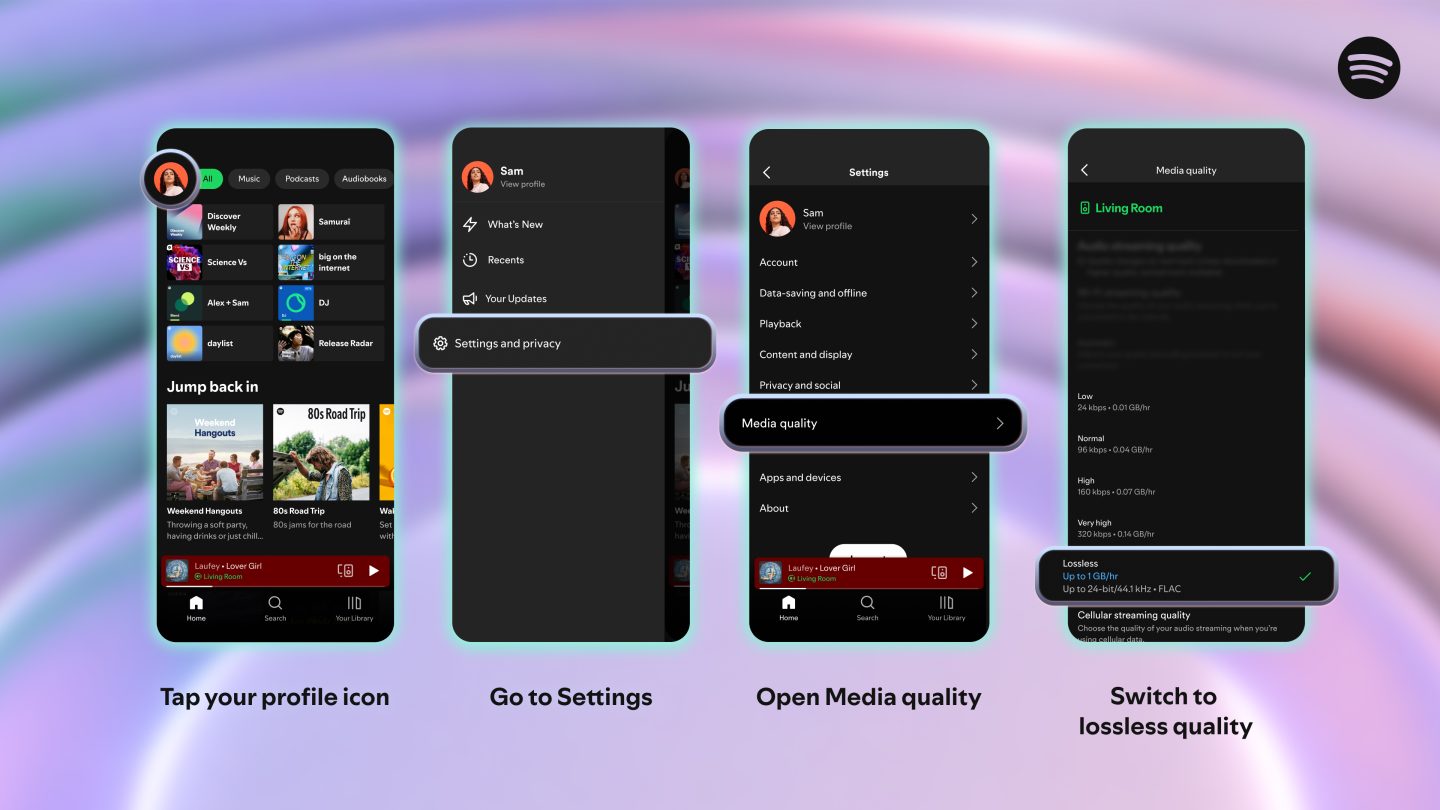
Open Spotify in a browser, then open its desktop app. It is quite possible to be using the same account and the same headphones while looking at different quality options. Before shopping for a DAC, check which of those two interfaces is playing the music.
The distinction comes from Spotify's own quality documentation. It lists Premium browser playback as AAC at 256 kbps; the desktop, mobile and tablet apps list a lossless FLAC option up to 24-bit/44.1 kHz. For Free browser playback, the listed rate is 128 kbps. Premium's browser rate is twice that figure. That calculation tells us about the listed bitrate, rather than how much better anyone will think it sounds.
A comparison with one change
Here is the small exercise we would use to investigate a confusing setup. Keep the Premium account, computer and wired headphones fixed. Change only the interface. Write down the option each interface offers, and the device actually playing the music.
| What to record | Browser | Installed app |
|---|---|---|
| Account | The same Premium account | The same Premium account |
| Computer and headphones | Unchanged | Unchanged |
| Top option in Spotify's documentation | AAC at 256 kbps | FLAC up to 24-bit/44.1 kHz |
| Next check | Where the audio is going | Selected quality, then where the audio is going |
We have compared the documentation here. We have not recorded these outputs or listened to them side by side. The exercise deliberately stops short of declaring one pair of headphones better, or telling you that a new converter is necessary.
Follow the music to its destination
An app on the laptop might be controlling a separate speaker. In that case, the speaker deserves its own line in the notes. It is easy to spend time inspecting the laptop's headphone socket when the laptop is not the playback destination.
With wired headphones plugged into the computer, the question changes. Record that connection, including any adapter. With a separate speaker, record its exact model and how playback reaches it. Then open the relevant device documentation. A lossless option in an app is useful information, but it does not describe every connection that comes afterwards.
Our Apple Music setup guide takes the same approach with Apple's requirements. Start with the equipment you have. Leave the shopping decision until there is an identifiable problem for a purchase to solve.
Check the download setting too
Spotify separates streaming quality from download quality. Changing today's streaming choice does not tell you the quality of an album saved earlier for offline use.
Try a single album before preparing hundreds. Check that its download has finished, inspect the appropriate quality selection and look at storage on the device you intend to carry. The MP3, AAC and FLAC calculations are useful for planning personal files; they are not measurements of Spotify's download storage.
Leave room for the listening question
Once the route through the equipment is clear, you can investigate what you prefer. Use the same recording and keep volume and equaliser settings consistent. Our normalization worksheet deals with level changes; the ABX guide describes a controlled comparison with suitable local files.
A note saying which interface, setting and device you used will make that comparison much easier to interpret later. Without it, a change of app can quietly become a supposed change of headphones.